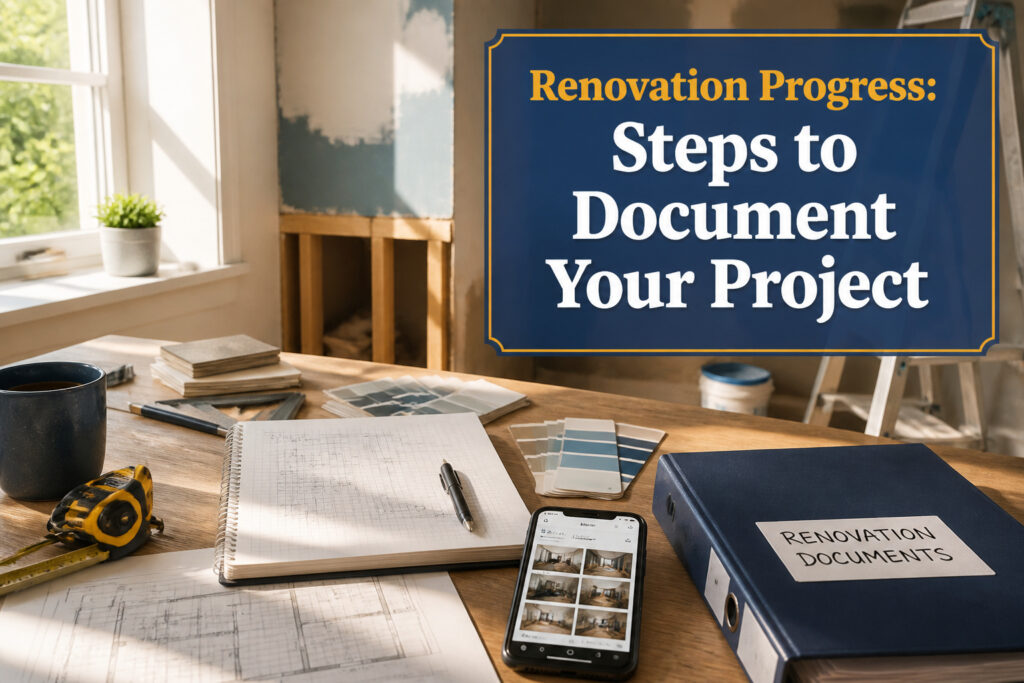
The only documentation that matters is the kind you can find when you need it. That system breaks down the moment a contractor disputes a vapor barrier he never installed, or a buyer’s inspector asks for the permit number on a 2019 electrical upgrade. Weekly photo logs and cloud-backed folders, built around the real materials in your hands rather than product names typed from memory, are what separate a $20,000 project you can prove from a stack of receipts you cannot.
[link-whisper-related-posts]1. Renovation Documentation Plan
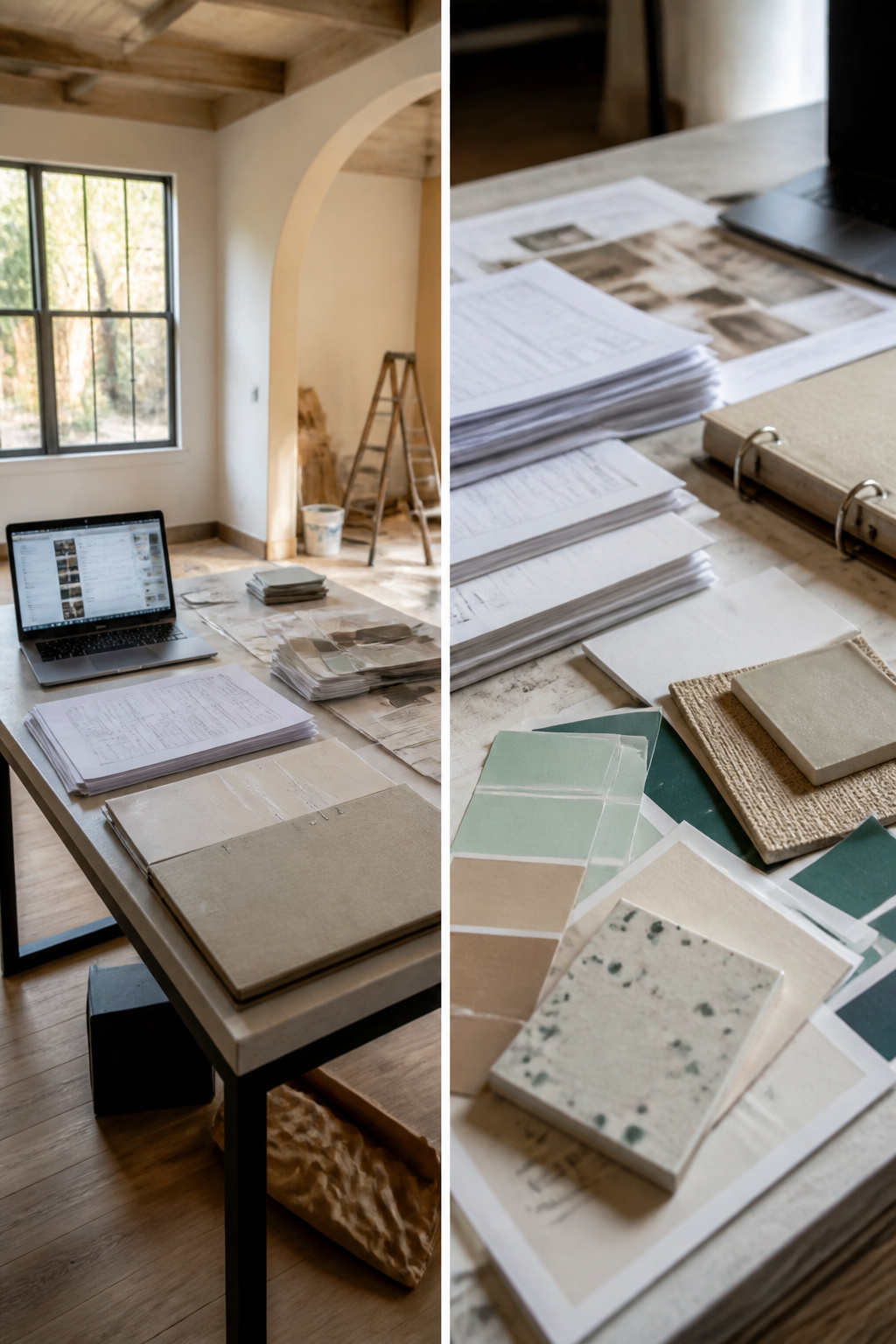
The morning my contractor showed up with the wrong flooring sample was the morning I realized scraps of paper and phone photos were not a system. I sat down that afternoon and decided what actually needed recording before anyone swung a hammer.
Contracts and permits come first. The contract should already spell out who pulls which permits, because that responsibility shifts and the paper trail is what proves it later. Material receipts matter just as much; paint colors get discontinued, tile lots vary between dye batches, and the receipt is sometimes the only way to match a repair two years out.
Baseline photos are the one you will thank yourself for. Every wall, every corner, every window before demolition starts. Water damage hides under siding, old wiring sits behind plaster, and your before photos become the only proof of what existed when a permit inspector or a buyer asks.
For the system itself, digital binders win on access and automatic backups. Google Drive, Dropbox, or OneDrive means you can pull up a spec sheet while standing in the lumber yard. But a physical binder still earns its shelf space. Contractors spread paper across kitchen tables, not screens, and flipping to a highlighted permit beats scrolling on a phone when drywall dust is already in the air.

30 Pack Photo Sleeves: 11.2 x 9.25" photo album pages with 11-hole punched fit for 3 ring binder and other different kinds of ring binders or albums. The 4.2''x 6.1'' Pockets Perfect for 4''x 6'' or smaller photos or cards, 3 pockets per page, up to 6 photos with 2 inserted back-to-back, totally can hold up to 180 photos or cards.

Hold 180 photos & Memo pocket: Perfect for storing 4''x 6'' or smaller photos. Each 3-pocket photo sheets holds 6 photos (3 Front & 3 Back), totally can hold up to 180 photos or cards. Memo pocket allows you to add a label for identify and record (inserts not included).

Fits Standard 3-Ring Binders: These photo sleeves' dimensions are 9.2 x 11.3 inches, fitting standard 8.5 x 11 inch 3-ring binders. Each page features 3 pockets per side, holding six 4 x 6 photos front and back. Each set stores up to 180 photos, making these 4x6 photo sleeves ideal for building or expanding family albums, memory books, scrapbooks, and presentation binders.
2. What to Track
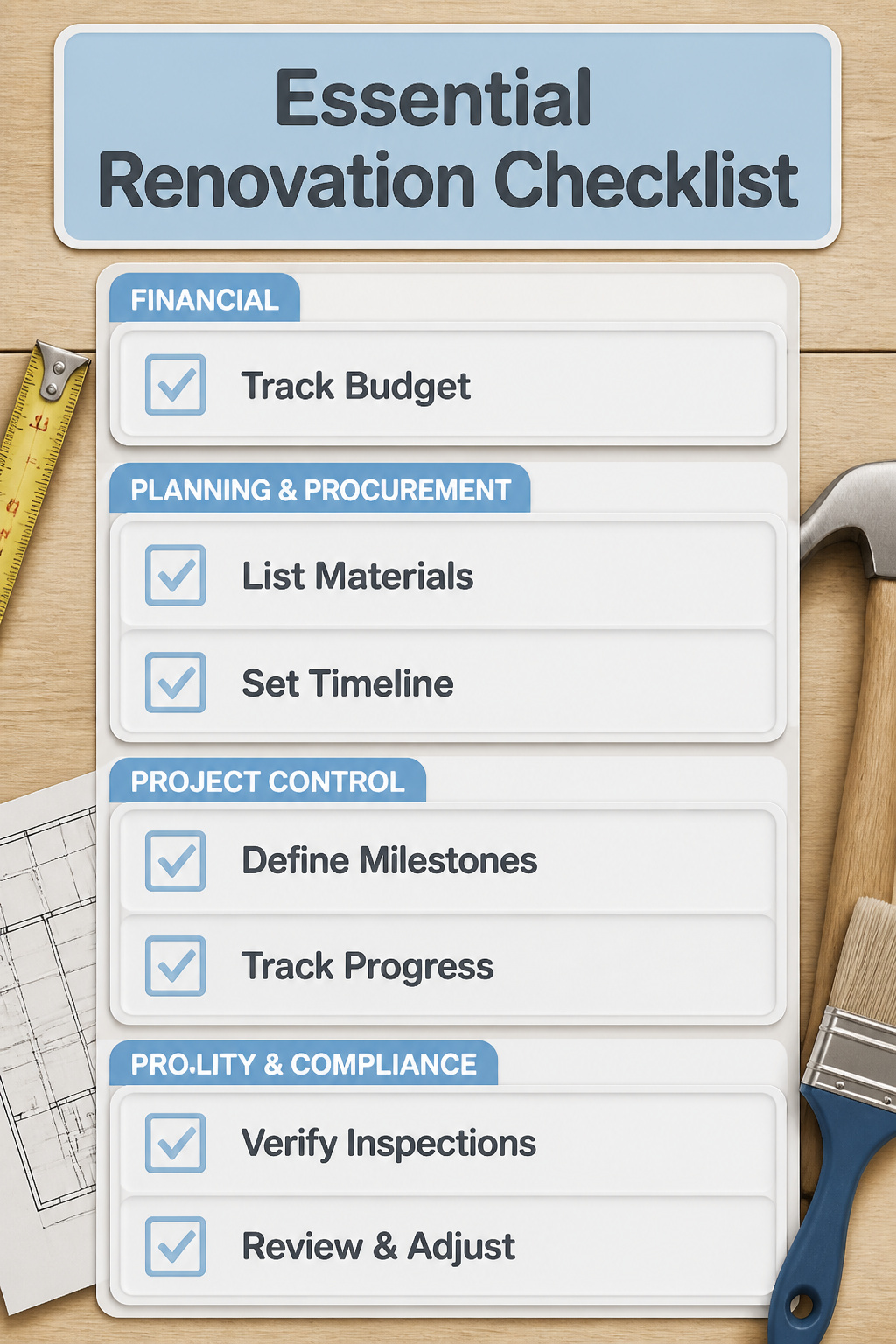
Most homeowners start with budget, and that makes sense: cost is usually the first concern when a wall comes down or a pipe starts leaking. The Houzz and Home research from 2024 showed a median spend of $20,000 for renovation projects, which tells you most people are working with a real number they need to watch.
But materials deserve their own line item, separate from the dollars. The paint picked up in March looks identical to the paint bought in June until you check the sheen and realize one is eggshell and the other is satin. Same brand, same color code, different finish. Tracking where each can came from and when keeps you from painting two coats of a wall in mismatched light.
Timeline and milestones fill out the picture. Expected versus actual dates for each phase, plus the hard stops like demolition done or plumbing signed off, turn a stack of receipts into something you can read six months later when the drywall cracks and you need to know who touched what last.

File Jackets with Preprinted Job Tracking Layout - These project file jackets feature preprinted sections for job names, billing details, job dates, material costs, labor, sales tax, overhead, and net profit tracking help contractors review work project status and job information at a glance.


3. Documentation Frequency
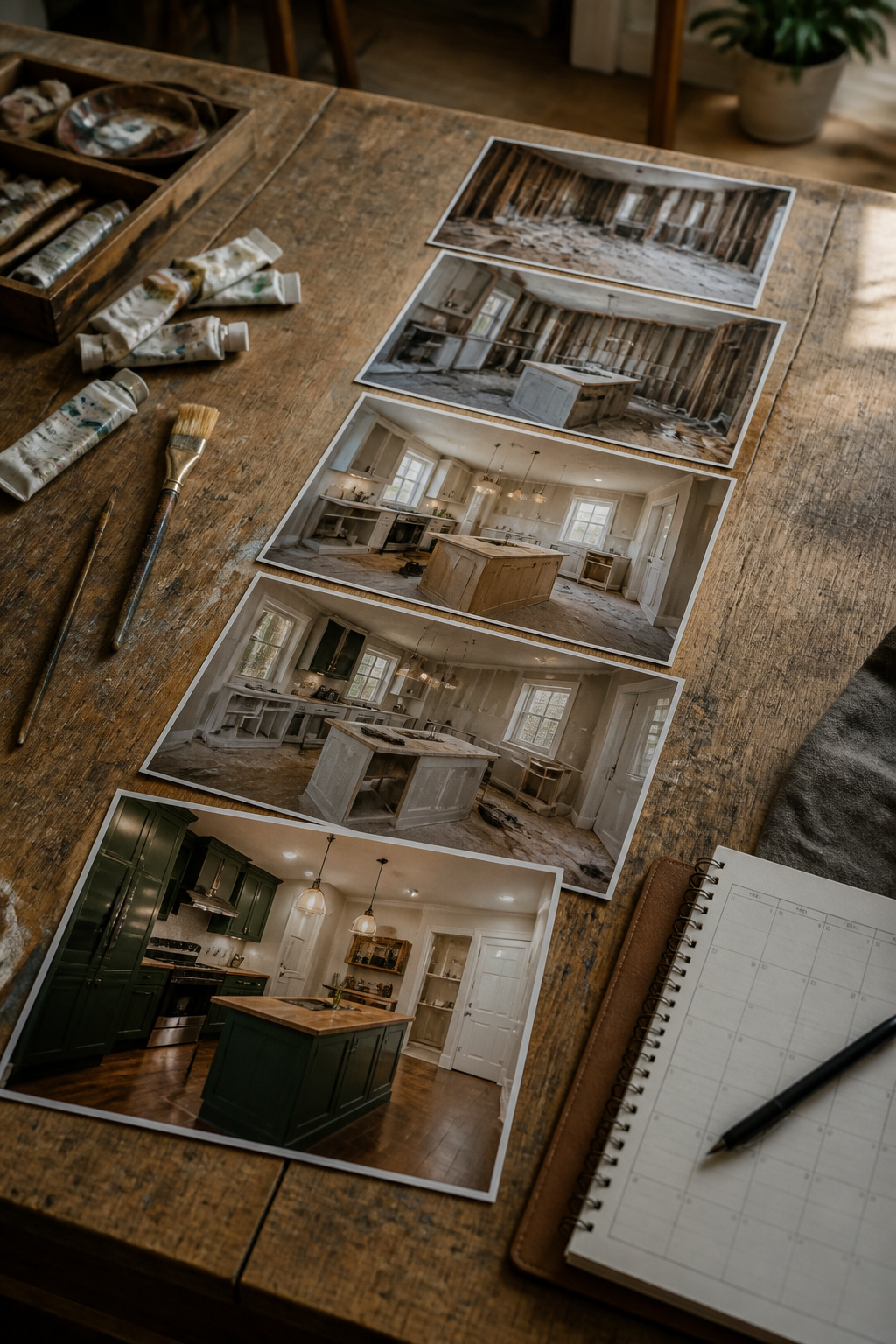
You don’t have to track everything every day, just stay consistent. That line settled the question for me. Weekly snapshots carried my kitchen renovation through most of 2023, with one exception: the three days an electrician had the walls opened up. Those got daily entries because the work was invisible once the drywall went back on, and I wanted a record of every wire run before it disappeared.
For weekend warriors, phase-based logging tends to work better than calendar checks. A demolition weekend produces dramatic change worth capturing. The three weekends of patching and priming that follow do not; log by milestone, not by Saturday. The five standard phases, planning through cleanup, break naturally at points where the room looks like a different space entirely.
The risk in daily documentation is the same as in daily weighing: you start logging noise instead of signal. My own weekly rhythm meant I sometimes missed a midweek decision, like where the cabinet installer shifted a run by four inches. I caught it in the photos, noted the reason in the next entry, and moved on. The record stayed honest without becoming a second job.

Adjustable Wrist Strap for On-the-Go Convenience: Comes with an adjustable wrist strap, making it easy to carry while shopping or running errands—free your hands and keep your organizer always within reach.


The perfect gift for new homeowners or house-flippers
4. Project Management Tools
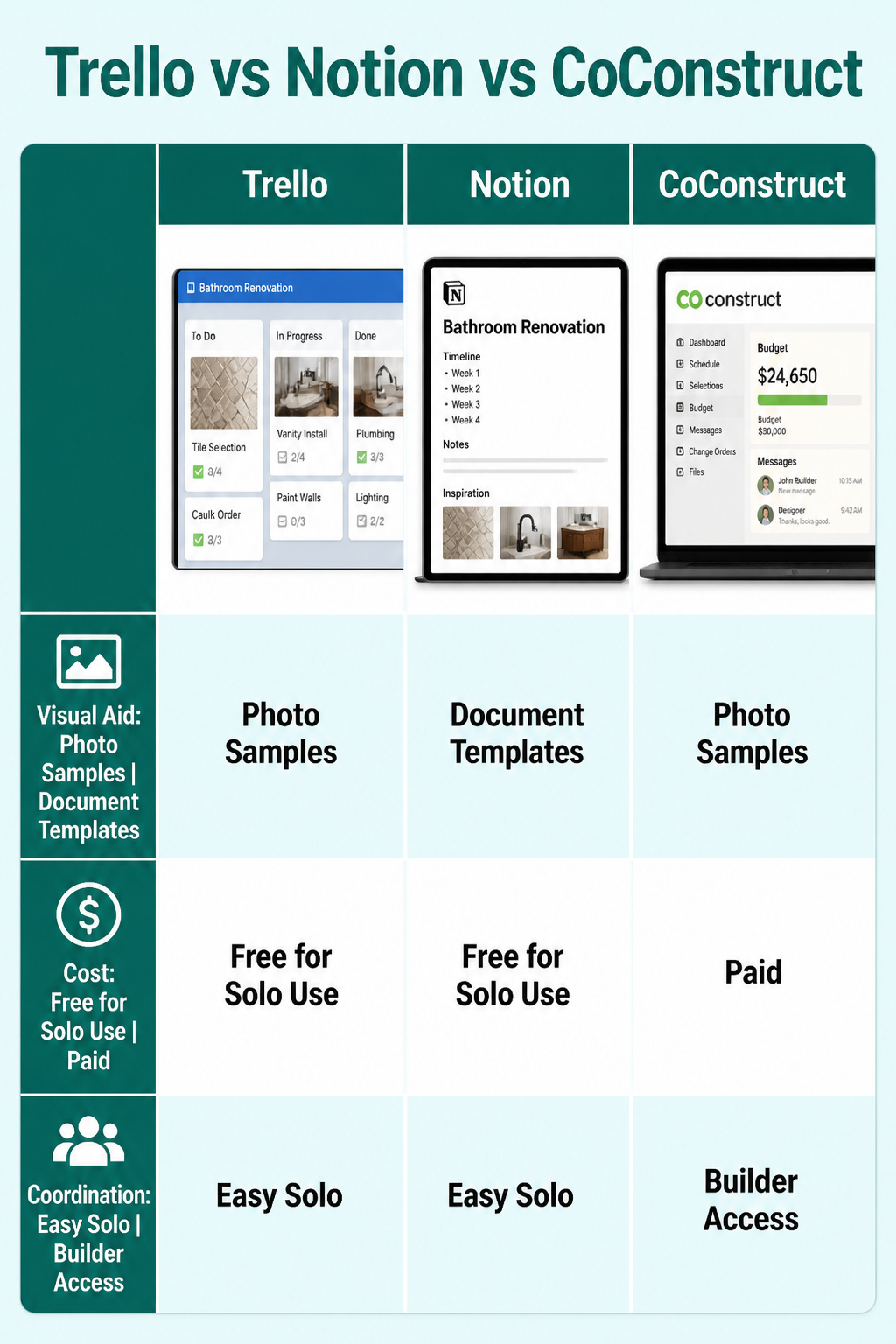
Trello works best when each renovation board is built around the actual materials in front of you. For my bathroom, every card carried a photo of the tile sample I had in hand, and the checklist running beneath it kept me from reordering the same caulk twice. That visual anchor matters more than any template, because a photo of the real thing beats a product name you typed from memory when you are standing in aisle seven two weeks later.
Notion pulls the same job into one longer document if you prefer timelines and notes living beside images. CoConstruct is built tighter to remodeling specifically, with budget tracking and contractor messaging folded in alongside scheduling. The choice between them is less about features and more about who else needs in: Trello and Notion run free or cheap for solo use, while CoConstruct makes sense once you are coordinating bids and change orders with a builder who also logs into the same tool.


5. Capture Visuals

A phone left on a windowsill can record the whole day, but the photos that matter most are the ones taken before anything moves. The original condition of a room, the wall behind a cabinet, the floor beneath a rug: these disappear first and are the hardest to prove later. Starting the day work begins, not after, is the habit that separates useful documentation from a collection of halfway-done shots.
For regular backup, Google Photos handles the upload automatically once you set it to sync. I leave it running and forget about it until I need to scroll back six months.
For a long project, a time-lapse condenses weeks into something watchable. The Time Lapse Camera app does this without filling your storage with individual frames. Set it, let it run, and the result shows the shift in a way a folder of snapshots never will.

Customize your photo album the way you want with photo pockets for your 4" x 6" photos that offer both landscape and portrait orientations

1. Large & Flexible Photo Capacity:Designed with 105 pockets, this 3-ring photo album securely holds 200 standard 4x6 photos plus 10 oversized 6x8 photos, keeping different memory formats neatly organized in one place.Perfect for documenting every precious milestone — from your baby’s first smile and first steps to school performances and birthday celebrations.
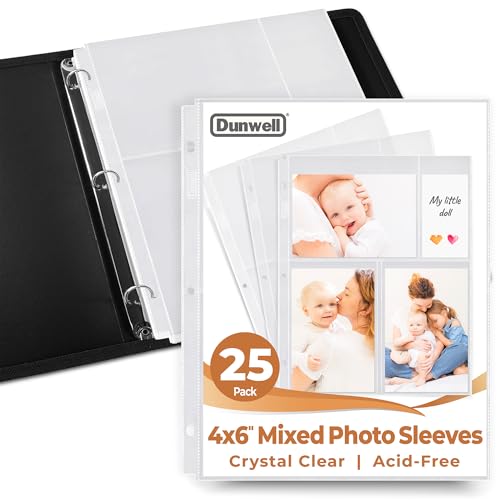
4x6" Photo Album Inserts: Photo album pages for 3 ring binder. Each 3-pocket picture protector sleeve holds 6 photos (3 Front, 3 Back), Mixed layout: 1 landscape (horizontal), 2 portrait (vertical)
6. Organize Your Documentation

A folder named "Renovation" on your desktop turns into a junk drawer fast. I learned to start every file with the date, written year-first: 2024-03-15_kitchen_demo sorts chronologically in any view and survives a search six months later when you only remember it was March and there was a sledgehammer involved.
Digital binders, something like Google Drive or Dropbox, win for easy access, sharing, and automatic backups. The cloud copy saved me when my laptop took a coffee bath during the drywall phase. Physical binders still have their place if you prefer printed documents, want to keep material samples, or need hard copies for inspections. I keep one slim binder for paint chips and tile scraps that screens cannot capture.
Tags or labels speed things up further. Add "receipt," "permit," or "timeline" to the file name or the metadata, and a document surfaces in seconds when the inspector asks or the warranty runs out.


File Jackets with Preprinted Job Tracking Layout - These project file jackets feature preprinted sections for job names, billing details, job dates, material costs, labor, sales tax, overhead, and net profit tracking help contractors review work project status and job information at a glance.
7. Weekly Review Checklists
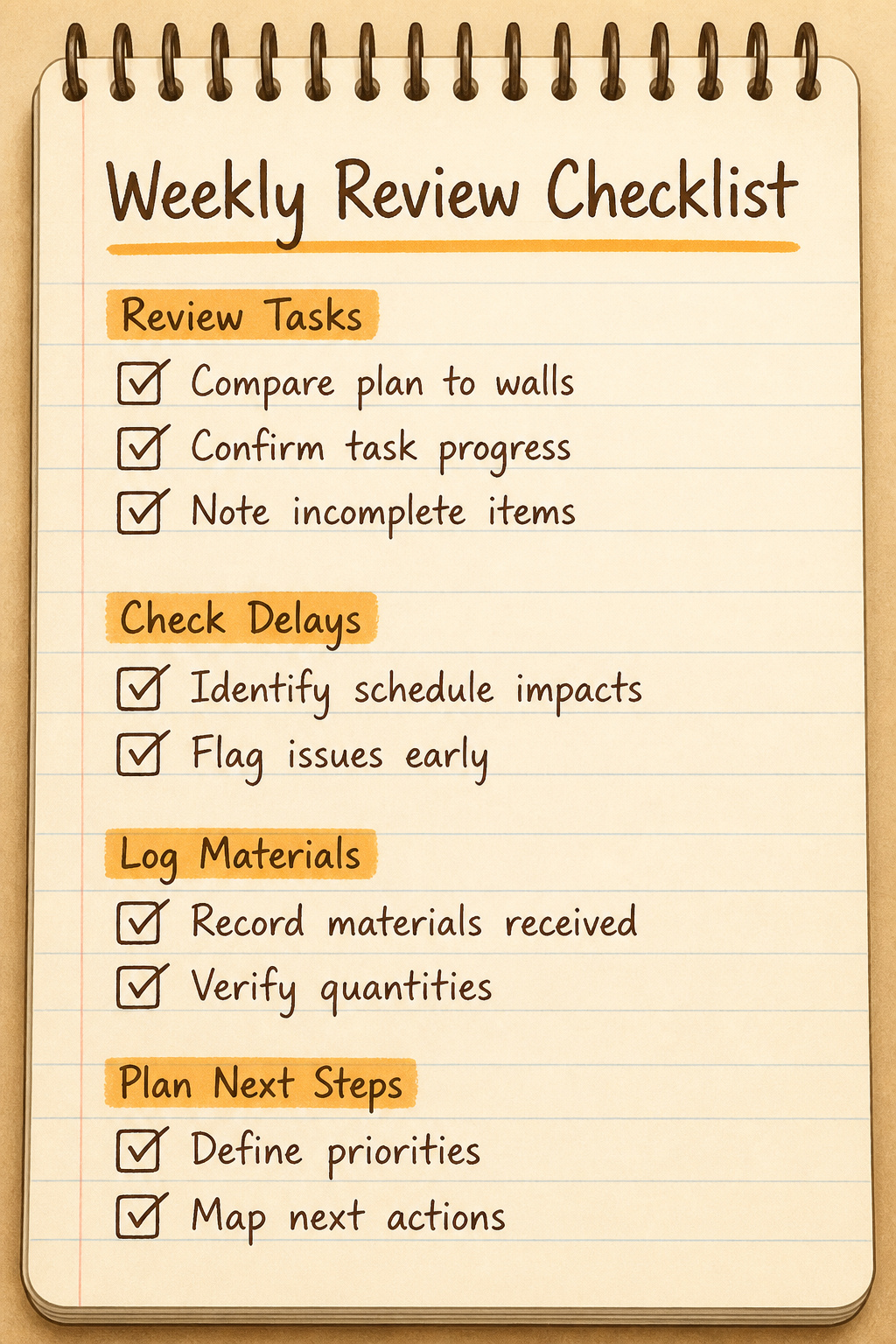
Sunday evening is when the house is quiet enough to walk the job site with a cup of coffee and actually see what happened that week. I pull up the plan on my phone and compare it to the walls. Tasks, delays, materials received, what’s next: those four items go on a scrap of paper, and the act of writing them down forces slower looking than a mental check ever manages.
This habit caught the drywall crew skipping the moisture barrier behind the kitchen sink last spring. The wall looked finished, but the checklist pushed me to ask about the plastic sheeting that should sit between cement board and studs in wet areas. They had assumed the sink location might shift. It wasn’t shifting. A five-minute comparison against the plan saved a tear-out that would have cost a weekend and the price of new board.
Regular reviews matter most when timelines or budgets change, or when a new repair surfaces mid-project. The checklist itself stays simple because its job is to make you stop and look, not to do the looking for you.

Stay Organized: Keep all your household documents, receipts, and inventory in one place with the Homeowner Book of Records 3 Ring Binder, which comes with 13 category envelopes for mortgage, taxes, insurance, home warranty, utilities and services, home furnishings, landscape, appliances, electronics, home improvements, homeowner's association, and a blank envelope. It also includes a household inventory sheet.

【HIGH CAPACITY】Product size is 10.2*5.1inch. 13 individual pockets, maximum 350 sheets of coupon. it is large enough to keep all of your important documents securely, help to classify and find your files effectively

✅ ALL-IN-ONE RECEIPT ORGANIZERS - Stop drowning in loose receipts! PocketCPA 3-in-1 Receipt Organizer Envelopes make tracking expenses & mileage completely effortless. 12 monthly envelopes = audit-proof records and tax prep all year long.
8. Share and Showcase Your Project

A digital diary or blog can turn scattered updates into something you actually want to look back on. Some guides suggest building a simple website or keeping a shared Google Drive folder with dated photos and notes. Others skip this entirely and treat documentation as purely private filing. The format that actually kept me working was a private Instagram album, visible only to a handful of friends who knew the project existed. Public posting would have felt like performance; the small audience made it accountability without theater. I uploaded a photo most weekends when I made progress, which meant the empty weeks sat there too, obvious and unexcused. The gap between posts became the reason I picked the tools back up on Saturday mornings I would have otherwise spent on nothing.
9. Safeguard Against Disputes
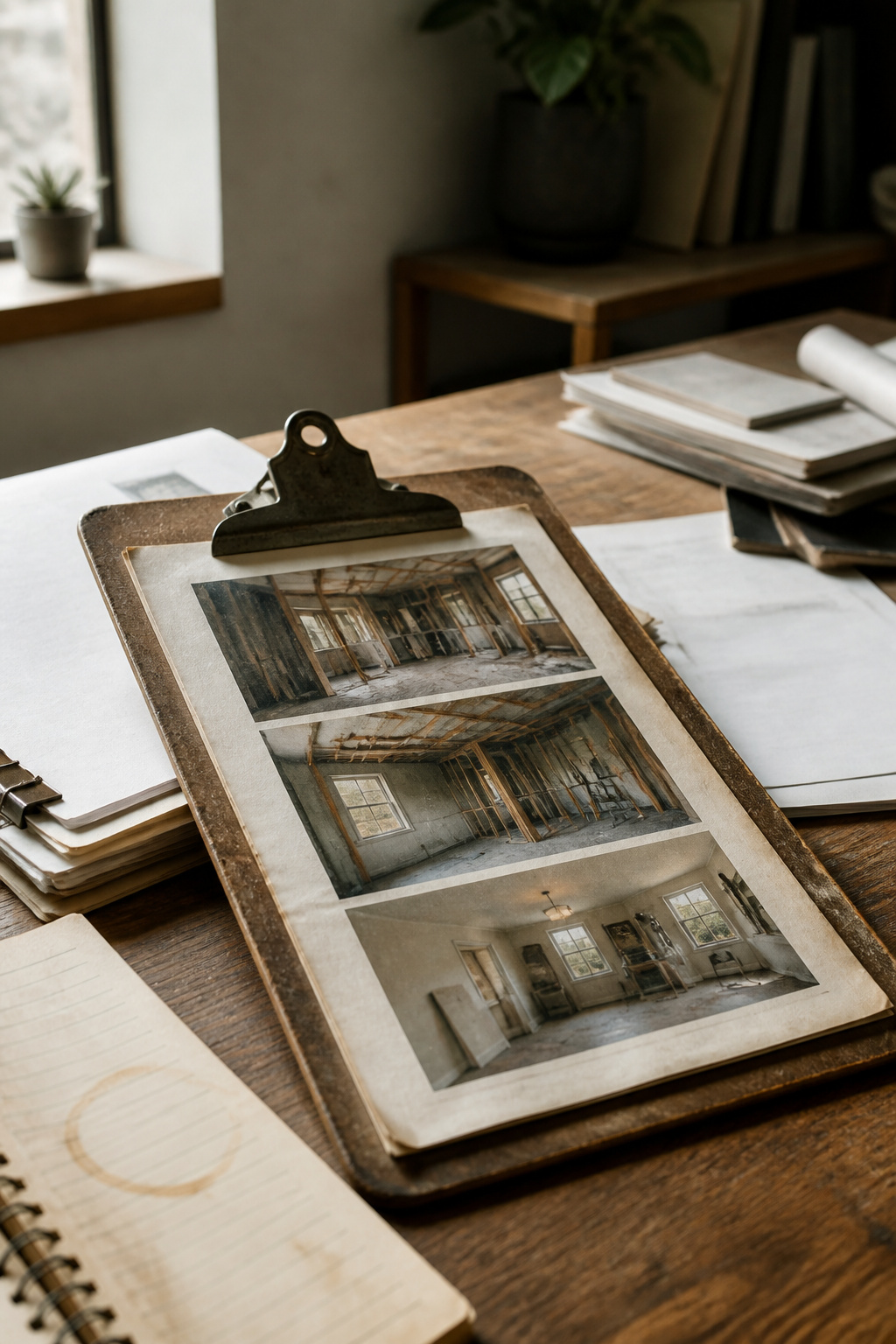
The real money in a renovation documentation plan shows up the moment a contractor’s story changes. Dated photos of every phase, change orders signed by both parties, and every text about timing are what stand between you and a five-figure argument you cannot win.
I keep these in three separate places: phone, cloud folder, and a printed binder the contractor sees me writing in. A timestamped photo of a wall opened to the studs beats a handshake memory every time. Change orders especially need that second signature before the next day’s work starts; I learned that one the hard way when a $400 window swap became a $2,800 "misunderstanding" because I had only my own notes.
Texts about arrival times, material delays, or crew changes read boring until they are evidence. Back them up weekly. The cloud storage options that work for photos, Google Drive or Dropbox, handle these just fine, and the redundancy matters when a phone dies mid-project.

Includes 60 bound, top-loading pockets that hold up to 10 sheets each and display 120 pages for organized document presentation.

Holds 360 Photos & Memo Pockets: Perfect for preserving 4" x 6" or smaller photos or cards. Each photo album pages hold 6 photos (3 front, 3 back), totaling up to 360 photos/cards. Memo pockets let you add personal notes to identify & record (No inserts included).

Fits Standard 3-Ring Binders & Large-Capacity Storage : These photo sleeves fit standard 8.5 x 11 inch 3-ring binders and include 1 pocket per page, holding two 8 x 10 photos (front and back). Designed for larger collections and memory organization, a complete set can store up to 200 photos or cards, making it ideal for organizing family albums, vacation memories, anniversary photos, family history projects, and growing photo archives. Reinforced holes ensure smooth, tear-free page turning.
10. Permits and Insurance Claims

Proper documentation, including permits, inspection reports, and detailed records of the renovation process, is essential when dealing with insurance companies or local authorities. In the event of damage or when verifying compliance with building codes, having organized records can expedite claims and prevent potential legal issues.
Any structural changes, electrical upgrades, plumbing modifications, or HVAC installations require permits to ensure code compliance and safety. Your permit application needs detailed plans demonstrating that everything meets zoning and building code requirements, often with separate submissions for different trades. Skipping permits might seem like a shortcut, but it invites fines, work stoppages, and serious complications when you eventually sell your home.
My permit folder saved me when the city inspector asked for the original electrical plan. I had it filed with the stamped approval and the inspection sign-off sheet, so the walk-through took twenty minutes instead of two days of phone calls. If your renovation involves plumbing, electrical, or structural changes, getting those permits approved and scheduling inspections can add time to your project, but that delay is cheaper than the alternative.
11. Resale Value

A well-documented renovation history can significantly enhance your home’s appeal to potential buyers. Before-and-after photos, lists of upgrades, and proof of quality workmanship demonstrate transparency and can justify a higher asking price. Buyers are more likely to trust and invest in a property with a clear maintenance and improvement record.
The average return on investment for a minor kitchen renovation was 113% in 2025. While payout depends on the type of job, your location, and amount invested, the right documentation helps you capture that full value.
The binder itself became a selling point when I helped a friend list her place. She had kept every receipt, photo, and contractor note from a 2019 bathroom gut job and a 2022 kitchen refresh. Buyers spent twenty minutes flipping through it during the open house, and the agent later told us it directly addressed the two biggest questions that normally stall offers: was the work done right, and what else is hiding? The house went to the first bidder at ask.
Common Documentation Challenges
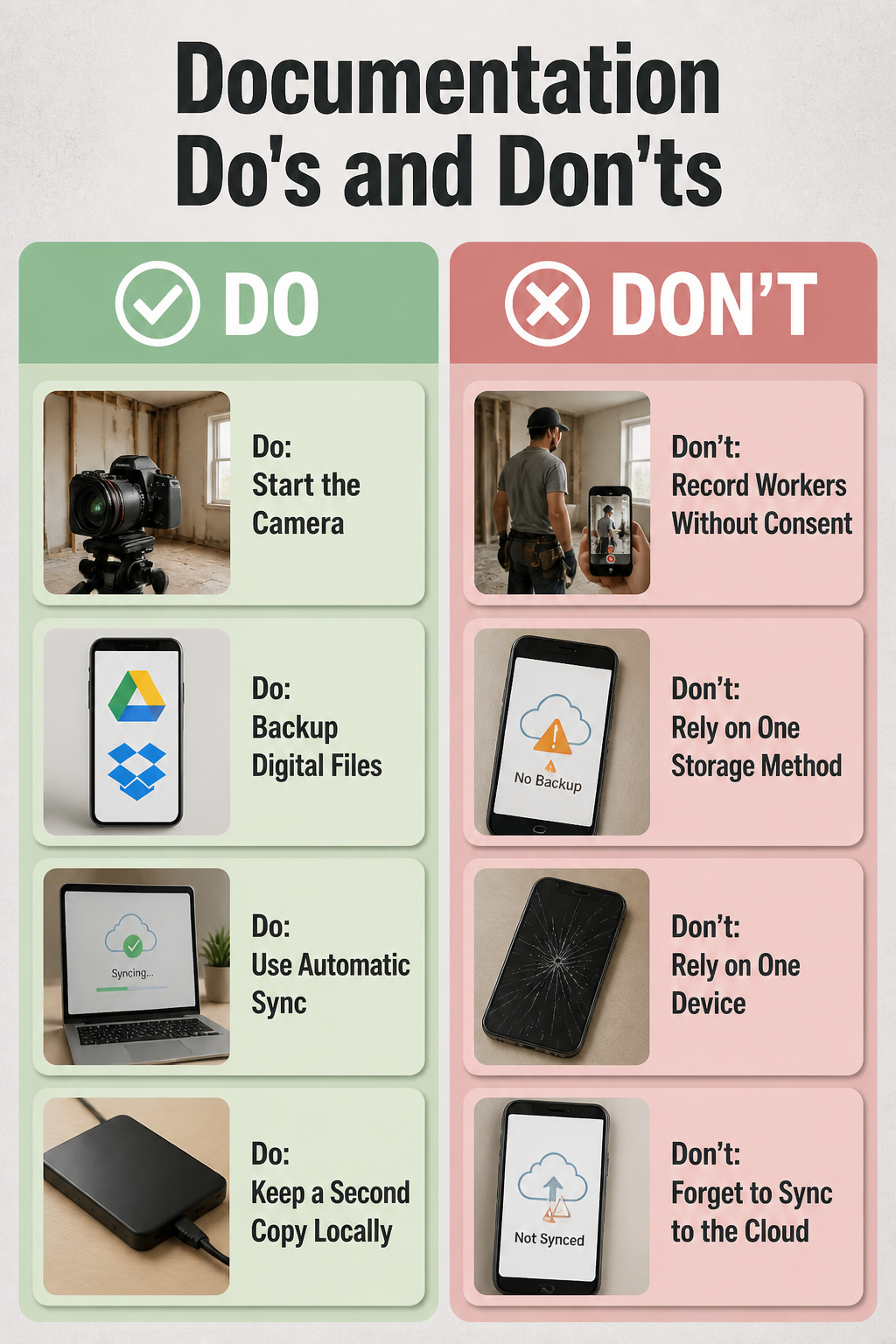
Early photos disappear faster than you expect. The morning before demolition starts, the rooms look normal enough that you figure you will remember, and a week later you cannot quite recall where that outlet sat or how deep the water stain ran. Start the camera before the first tool comes out; the original condition is your baseline for every insurance question and contractor dispute that follows.
Digital files need the same redundancy as anything else you cannot afford to lose. One phone in a back pocket, one cloud account you set up and forgot to sync, and a cracked screen erases half the project. Google Drive and Dropbox both work; the point is having a second copy running automatically, not which service handles it.
Recording workers without asking is where documentation runs into an actual boundary. A crew member in frame is not a feature of your remodel; it is a person who did not choose to be filmed. Ask before you roll video, and accept that some days you will get only the empty room and the finished wall. The gap in your timeline costs less than a privacy complaint, and the photos you do keep stay usable without anyone blurring faces after the fact.
Why Documentation Matters
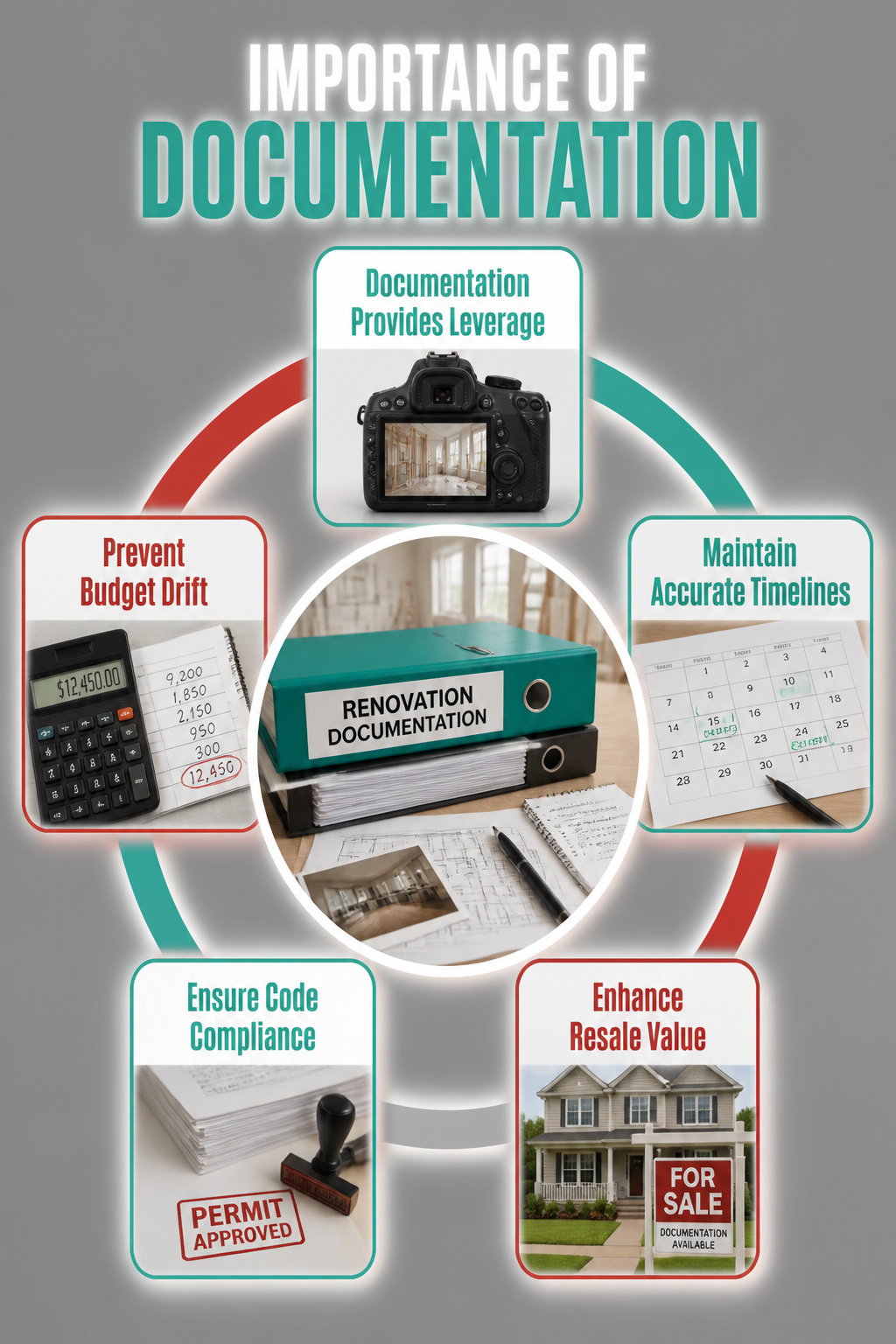
A renovation without documentation is just a series of phone calls you half-remember and receipts you can’t find. When the contractor swears he installed the vapor barrier and you know he didn’t, photos from week two are the only leverage you have.
I learned this the hard way on my first project. The budget drifted by nearly forty percent before I started logging every change order in real time, and the timeline stretched because I had no record of when materials were actually ordered versus when they were promised. Sources describe this pattern constantly: labor hours stack up when timelines slip, material prices shift between quote and delivery, and temporary housing costs keep bleeding if you’re living off-site.
The resale argument matters too. A buyer’s inspector will ask when the roof was replaced and whether the work was permitted. Your answer needs to be a date and a file number, not a shrug. Organized documentation, kept current through weekly reviews at minimum, turns a vague claim into verifiable history that shows up in the final price.
Digital Tools for Storage
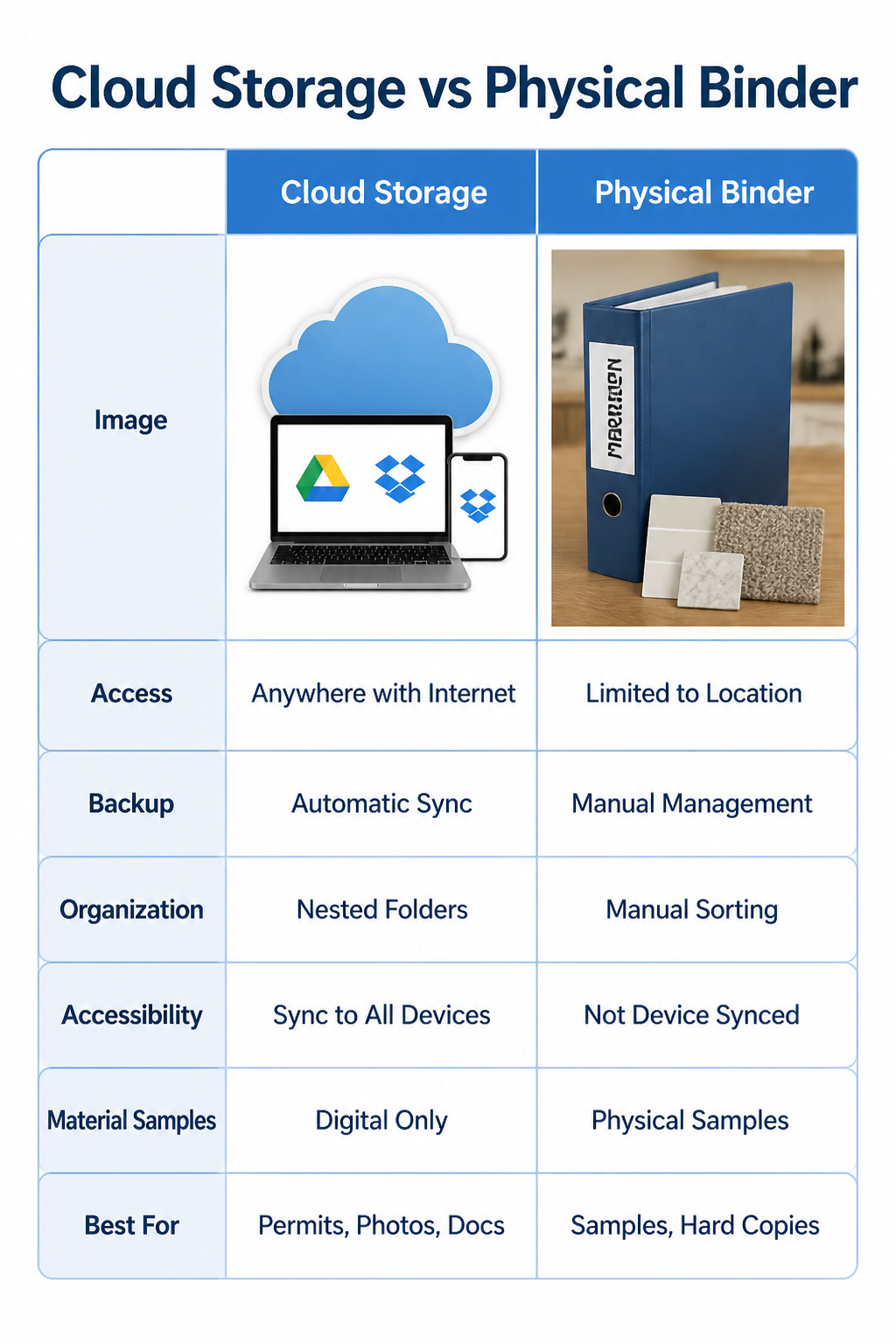
Cloud storage beats a physical binder the moment you need to pull up a permit at the hardware store or send a photo to your contractor while standing in dust. Google Drive and Dropbox keep automatic backups, so a crashed phone does not erase six months of documentation. Both let you build nested folders by room or by week, and both sync to your phone and laptop without thinking about it.
Physical storage still has its place. A printed binder survives dead batteries and spotty rural Wi-Fi, and it is the only practical way to store actual material samples: paint chips, tile fragments, carpet swatches. Inspectors sometimes want hard copies too.
The real risk is relying on one or the other alone. A phone dropped in a bucket of joint compound takes un-synced photos with it. A basement flood turns a binder into pulp. The practical move is the obvious one: mirror the digital folders in a slim physical binder for samples and copies, and let the cloud handle the rest.
Contractor Communication
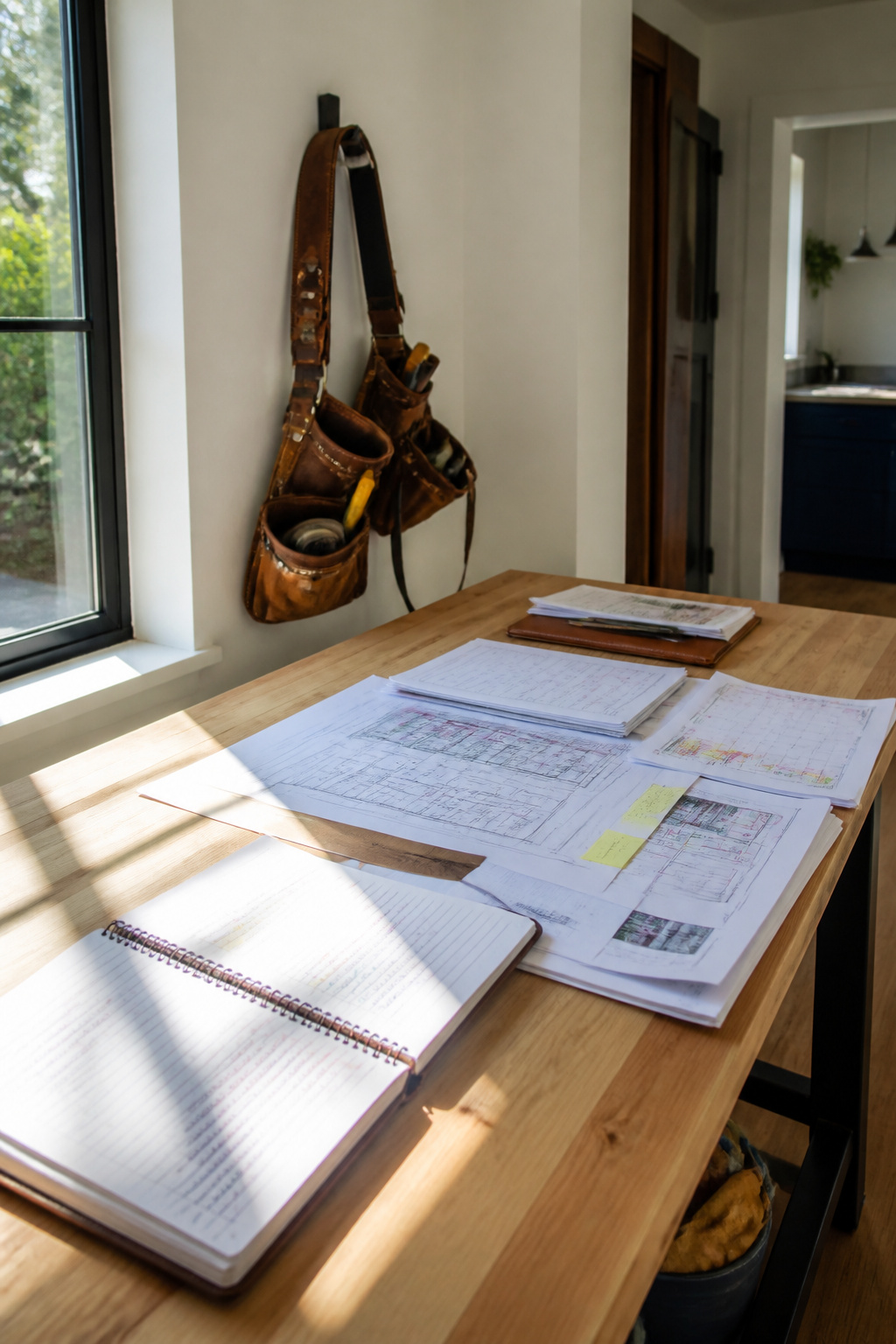
Weekly check-ins with your contractor keep small problems from becoming expensive ones. Ask for a standing meeting, even fifteen minutes, where you walk the site together and compare what you see against the schedule you both agreed to. That rhythm builds the trust that makes a renovation survivable.
When materials show up late or an inspection reveals something unexpected, the documentation you keep becomes the shared reference point. A photo of the delivered tile next to the approved sample settles a dispute before it starts. A dated note about a conversation prevents the "you never told me" conversation that kills projects.
Prompt notification beats perfect documentation. A contractor who waits three days to mention a $400 plumbing change order is not managing your project well, and you learn that by the speed of their call, not the detail in their invoice. The same works both ways: your quick response on fixture selections keeps crews from standing idle.
The project manager’s role matters here. One clear contact who speaks to subcontractors on your behalf prevents the conflicting instructions that waste days and fray tempers. If your contractor does not assign one, that job falls to you, and you should know it going in.
Frequently Asked Questions
Why is it important to document my home renovation?
Documentation gives you proof of original conditions, tracks every budget change in real time, and creates a paper trail contractors cannot argue with later. Dated photos from week two are your only leverage when a dispute arises over whether work was done correctly. The same records also speed insurance claims and add verifiable value at resale.
What should I include in my renovation documentation?
Your file needs contracts and permits, material receipts with lot numbers, baseline photos taken before demolition, and notes on every change order signed by both parties. Add weekly snapshots of each phase, texts about timing or delays, and any inspection sign-offs. Paint colors get discontinued and tile dye lots shift; the receipt is sometimes the only way to match a repair years out.
How can I effectively organize my renovation documents?
Start every file name with the date written year-first, like 2024-03-15_kitchen_demo, so it sorts chronologically in any view. Use nested cloud folders by room or week, keep a slim physical binder for paint chips and tile scraps, and tag files by type such as receipt, permit, or timeline. Automatic sync to Google Drive or Dropbox means a crashed phone does not erase six months of work.
How often should I update my renovation records?
Weekly snapshots carried my kitchen renovation through most of 2023, with daily entries during the few days walls were open and work would soon be invisible. For weekend projects, log by milestone rather than by Saturday; dramatic change is worth capturing, but three weekends of priming are not. The risk in daily logging is tracking noise instead of signal.
Can documenting my renovation increase my home’s resale value?
Yes. A well-documented renovation history answers the two questions that normally stall offers: was the work done right, and what else is hiding. The average return on investment for a minor kitchen renovation was 113% in 2025, and organized proof of quality workmanship helps you capture that full value rather than leaving money on the table.